Unlock Weather Warning Apps
Unlock Weather Warning Apps
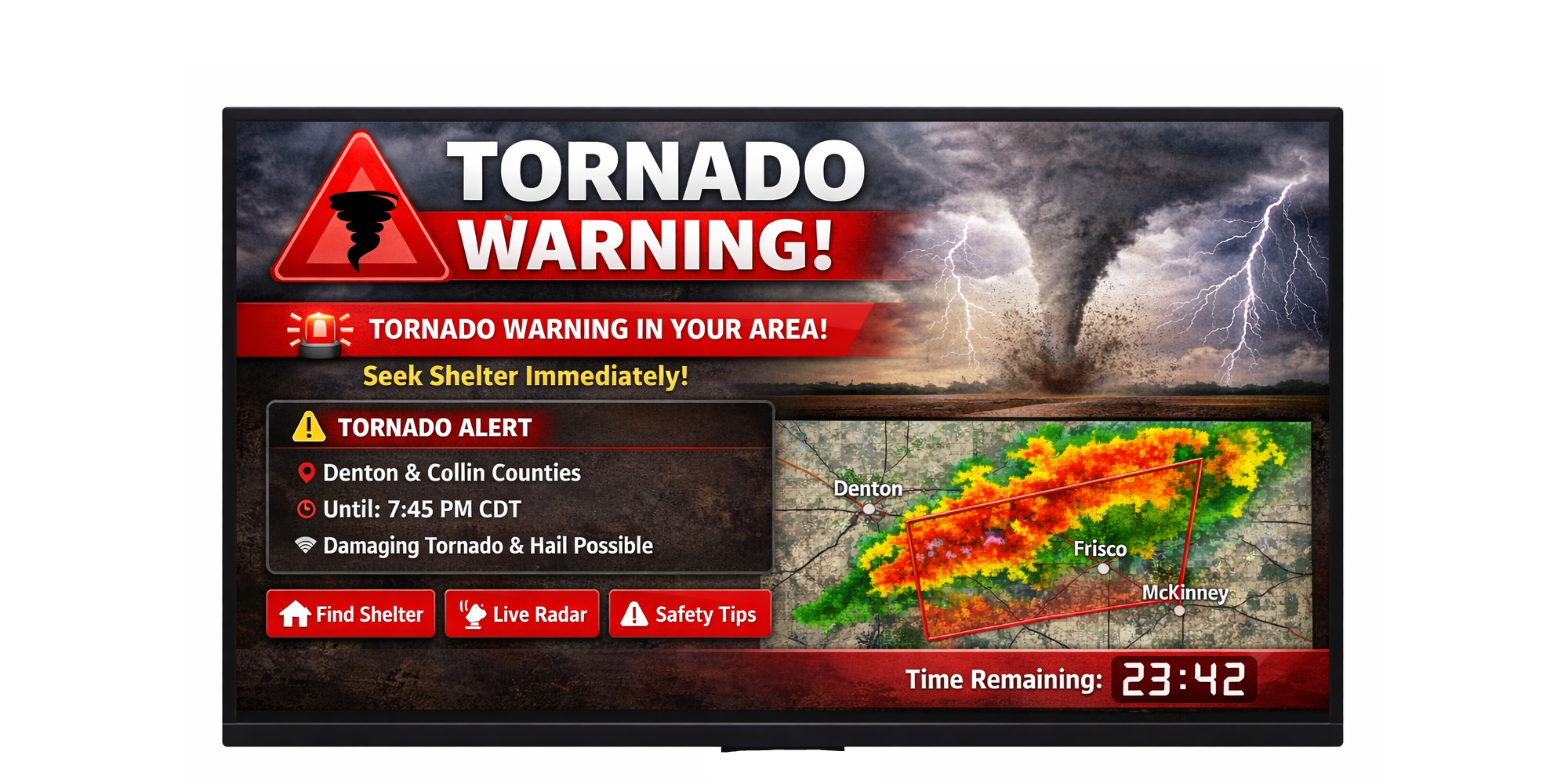
When the sky turns angry, the difference between being informed and being caught off guard can be measured in minutes. That is exactly why weather warning apps matter now more than ever. As extreme weather becomes less predictable and more disruptive, these apps are no longer just convenience tools for checking a weekend forecast. They are becoming frontline decision aids for commuters, parents, travelers, outdoor workers, and emergency planners. The promise is simple: faster alerts, better local context, and fewer surprises. The reality is messier. Alerts can be too broad, too frequent, or too easy to ignore. Still, the technology behind weather warning apps is improving fast, and that shift has real consequences for how we prepare, move, and stay safe.
- Weather warning apps are shifting from simple forecasts to high-urgency safety tools.
- Better localization and alert logic are reducing missed threats, but false alarms remain a problem.
- Users need to tune notification settings to balance speed, accuracy, and alert fatigue.
- The next generation of apps will lean harder on AI, sensor data, and real-time risk scoring.
Why weather warning apps now matter more than ever
For years, people treated weather apps like a quick glance before leaving the house. That model is breaking down. Heatwaves are more intense, storms can escalate quickly, and flash flooding can punish neighborhoods that never used to be considered high risk. A basic forecast is not enough when your route home, school pickup, or job site depends on near-real-time decisions.
Weather warning apps are filling that gap by pushing alerts directly to phones, often before many people check a traditional news broadcast or website. The best versions combine official meteorological data, local radar feeds, and device-level location awareness to warn users only when a threat is relevant to them. That is the theory, anyway. The practical challenge is filtering signal from noise.
Key insight: The best weather warning app is not the one with the most alerts. It is the one that alerts you at the right time, for the right place, and with enough context to act.
How weather warning apps work behind the scenes
Most people see a simple banner that says rain, wind, or severe storm. Under the hood, though, a lot is happening. These apps typically ingest data from national weather services, private forecasting models, radar imagery, lightning networks, and sometimes crowd-sourced observations. Then they apply rules that decide whether a condition crosses the threshold for a warning.
Location is the real superpower
Generic forecasts are useful. Hyperlocal alerts are better. A storm warning for your city is not the same as a warning for your neighborhood, especially in places where weather changes block by block. Modern weather warning apps use GPS, saved locations, and geofencing to narrow alerts. That can make the difference between a useful heads-up and an ignored notification.
The downside is obvious: location accuracy is not perfect, and users often disable permissions that the app needs to be truly effective. If your app does not know where you are, it cannot know whether you are actually in the path of danger.
Thresholds, not guesses
Good weather warning apps rely on thresholds. For example, a heavy-rain alert may trigger only when rainfall intensity, duration, and flood potential all point in the same direction. This is where the difference between consumer apps becomes clear. Some apps simply mirror official alerts. Others layer on their own risk scoring and forecasting models, which can improve speed but also introduce uncertainty.
That uncertainty is the tradeoff. More advanced logic can warn you earlier, but it can also produce more false positives. For users, that means the app has to earn trust over time.
What makes a great weather warning app
The market is crowded, but the best apps tend to share the same qualities. They do not just tell you it may rain. They tell you what kind of rain, where it is headed, how severe it may be, and what you should do next.
- Fast alerts: Notifications should arrive quickly enough to change behavior.
- Clear severity levels: Users need to know whether an alert is advisory or urgent.
- Local precision: Neighborhood-level relevance matters more than broad regional warnings.
- Custom controls: People should be able to set alert types, quiet hours, and backup contacts.
- Readable design: A warning is useless if the interface buries the most important information.
That last point is underrated. In an emergency, design is not decoration. It is operational infrastructure. If an app makes users dig through menus to find what the warning means, the product has already failed.
Weather warning apps and alert fatigue
The biggest problem facing weather warning apps is not a lack of data. It is too much data. People are bombarded with notifications all day, and weather alerts compete with messages from work, social apps, delivery updates, and security systems. If every drizzle becomes a push notification, users learn to swipe without reading.
This is where editorial discipline matters. The strongest apps are becoming more selective, not more loud. They are using machine learning, user history, and contextual triggers to reduce irrelevant alerts. That means fewer disruptions and, ideally, more trust.
Pro tip: If an app lets you customize thresholds, do it. Set severe weather alerts to push immediately, but consider making routine rain or temperature warnings less aggressive.
There is also a behavioral side to this. People tend to overreact to rare threats and underreact to familiar ones. A thunderstorm warning may sound routine until it is tied to an actual flooded underpass or a power outage. Weather warning apps that explain impact, not just conditions, are more effective because they translate abstract meteorology into decisions.
The strategic edge of weather warning apps for daily life
These tools are not just for emergencies. They are becoming planning layers for everyday life. Parents use them to decide on school pickup timing. Cyclists use them to dodge dangerous wind gusts. Construction crews use them to pause work before lightning becomes a safety issue. Travelers use them to avoid airport delays and road closures. Even casual users benefit when a heat advisory changes hydration and outdoor plans.
That utility is why weather warning apps are starting to look less like apps and more like personal risk dashboards. They are not replacing forecasters, but they are shaping how people interpret forecasts. That is a major shift.
What businesses should pay attention to
Companies that rely on outdoor labor, logistics, or public-facing service should pay close attention to the evolution of weather warning apps. Every avoided delay, accident, or shutdown has a cost. Better alerts can protect workers and reduce losses. That makes these apps relevant not just to consumers, but to operations teams and risk managers.
Businesses should look for apps that support multiple locations, team notifications, and escalation workflows. A manager may need a different alert cadence than a field worker. If an app can route severe alerts to the right people automatically, it becomes part of the operational stack rather than a consumer convenience.
What to watch next in weather warning apps
The next phase will likely be defined by three trends: more personalization, better prediction, and tighter integration with other systems. AI will help apps interpret patterns faster, but the real value will come from context. Imagine an alert that knows you are driving, compares that to your route, and warns you about flooding on your path instead of just your city. That is where the product category is headed.
We should also expect stronger integration with wearables, smart home devices, and vehicle systems. A phone alert is useful. A car dashboard warning when a tornado watch is issued is better. A smartwatch vibration when lightning is detected nearby is better still. The challenge is making these signals consistent across devices without overwhelming users.
Another likely change: more emphasis on trust. As misinformation and low-quality content continue to clutter digital spaces, weather warning apps will need to prove that their alerts are timely, precise, and grounded in credible sources. That means cleaner interfaces, stronger transparency around severity, and fewer gimmicks.
Bottom line: Weather warning apps are becoming one of the most practical consumer technologies on the phone. The winners will be the ones that help people act, not just look informed.
How to get more value from a weather warning app
If you already use one, a few small adjustments can make it far more useful:
- Turn on precise location access so alerts match where you actually are.
- Save key locations like home, work, school, and frequently visited addresses.
- Enable severe weather, flood, and lightning alerts before routine forecasts.
- Review notification settings so non-urgent updates do not drown out urgent ones.
- Test backup alerts if the app supports email, SMS, or secondary device notifications.
These settings sound basic, but they matter. A weather warning app is only as smart as the instructions you give it. If you never tune the app, you are essentially asking a very capable system to guess your priorities.
The bigger story behind the alerts
Weather warning apps are a reminder that the best technology often disappears into the moments where it is needed most. Nobody wants to think about evacuation routes, flash floods, or dangerous heat. But when conditions turn, a well-built alert system can buy time, reduce panic, and change outcomes. That is why this category deserves more attention than it usually gets.
The question is no longer whether people will use weather warning apps. They already do. The real question is whether those apps can become intelligent enough to deserve our trust. If they can strike the right balance between urgency and restraint, they will become one of the most valuable tools in the modern phone ecosystem.
The information provided in this article is for general informational purposes only. While we strive for accuracy, we make no guarantees about the completeness or reliability of the content. Always verify important information through official or multiple sources before making decisions.